Typed notes in,handwritten pages out.
Write Markdown with LaTeX math and get realistic handwritten PDF or PNG pages for your iPad (Goodnotes, Notability), reMarkable, Kindle Scribe or printer. Free, offline, and it installs withpip alone.
pip install "git+https://github.com/felipefrf/penpad"# 2) Damped oscillator
A mass $m$ on a spring $k$ with viscous damping $c$:
$$ m\ddot{x} + c\dot{x} + kx = 0 $$
$$! x(t) = A e^{-\zeta\omega_n t} \cos\left(\omega_d t - \phi\right) $$
(a) underdamped, $\zeta < 1$: oscillates with $\omega_d = \omega_n\sqrt{1 - \zeta^2}$
> Energy lost per cycle: $\Delta E = \pi c \omega X^2$
{red} Lightly damped: about $1/(2\pi\zeta) \approx 1.6$ cycles per e-fold decay.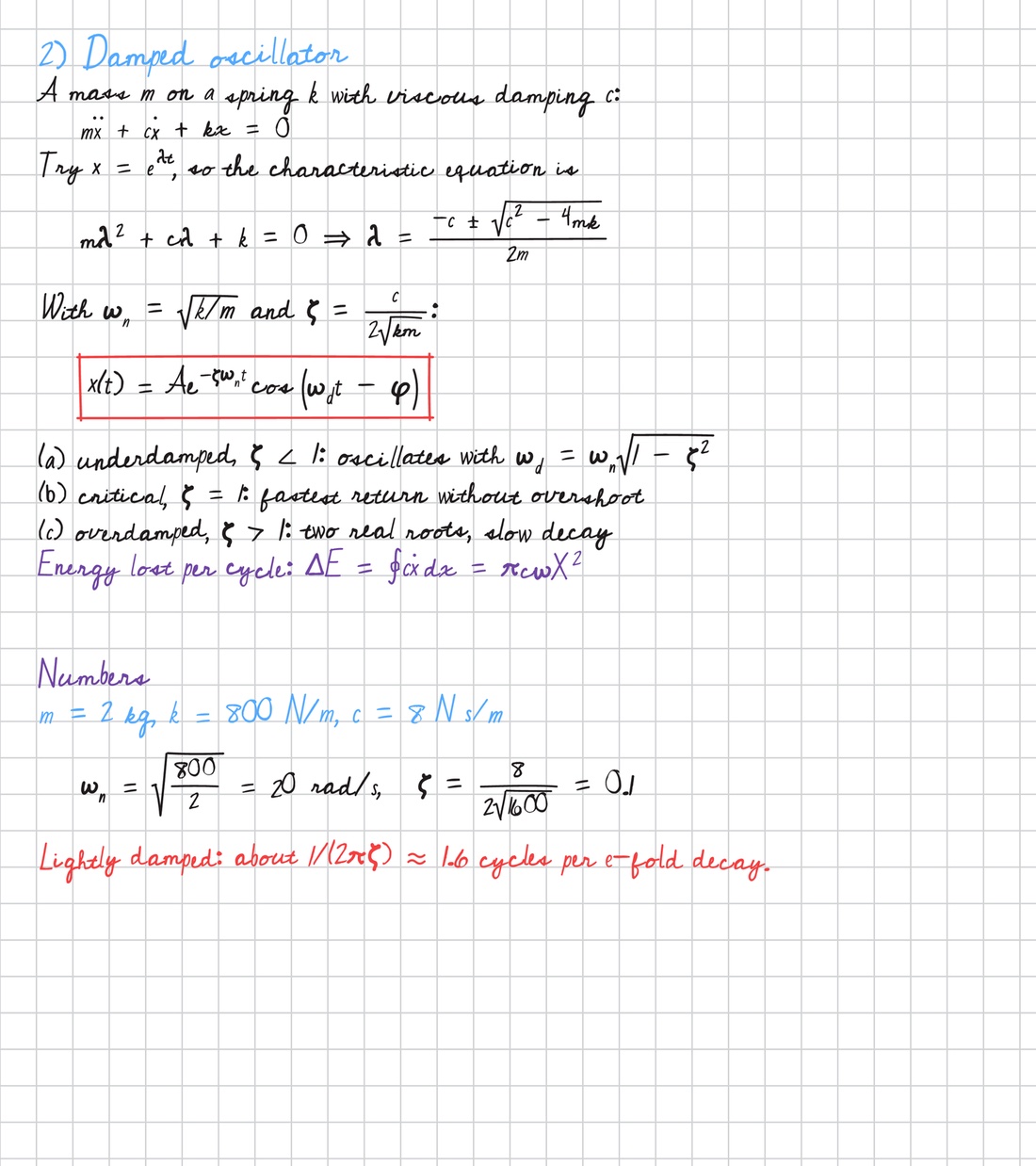
What it does
It lays notes out on a page the way a person would write them, math included, and every letter stays legible.
- 01
Math in handwriting
A practical subset of LaTeX: \frac, \int_a^b, \sqrt, \vec, \hat, \dot, \left( \right), Greek letters, \partial, \nabla, boxed results and colored pens.
- 02
Believable variation
Slant, size and baseline drift slowly like a real hand. Each letter has a few shapes and never repeats one back to back, while a legibility clamp keeps everything readable.
- 03
Tablet-ready pages
Presets for the Goodnotes page, A4 and US Letter (grid, lined, dotted, plain) and reMarkable. PDFs come out at the real page size, ready to import.
- 04
Installs anywhere
Pure pip dependencies (resvg, Pillow, fontTools) and bundled open fonts. No Cairo, no LaTeX, no browser, no API key, no network. Tested on Linux, macOS and Windows.
- 05
Reproducible
The same seed gives the same page, pixel for pixel. Change the seed for a different hand.
One writer, never twice the same
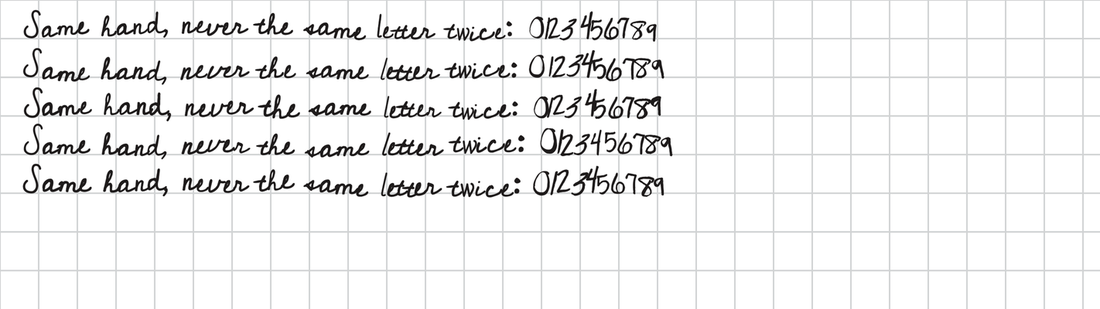
Font-based generators either repeat the same glyph or jitter every letter on its own. Both look mechanical. penpad models a writer instead.
Writer state
Slant, rotation, size and baseline follow mean-reverting random processes, so neighbouring letters lean and float together and the line wanders, then comes back.
Allographs
Each character gets a fixed repertoire of shapes derived from the seed. The writer draws an “a” in one of four ways and never the same way twice in a row.
Instance noise
Every use redraws part of the outline deformation, so no two letters on a page are pixel-identical.
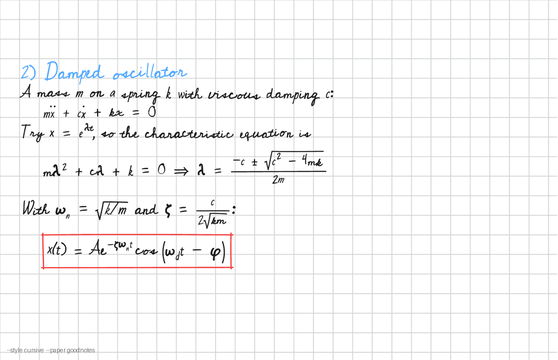
--style cursiveGoodnotes grid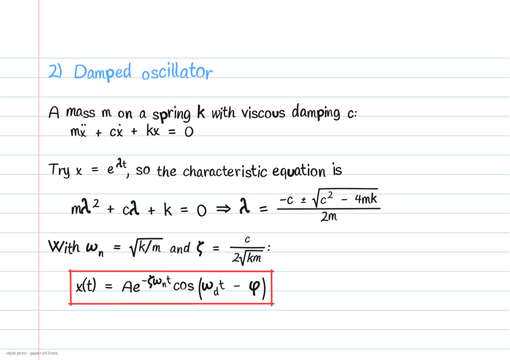
--style printA4 lined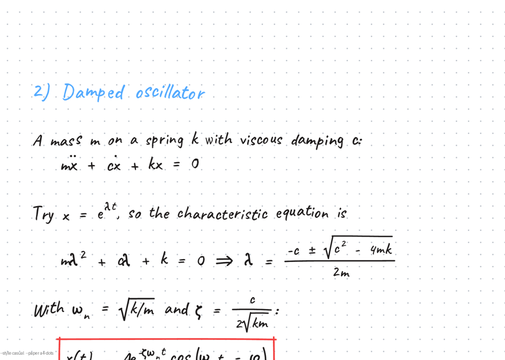
--style casualA4 dotsTwo commands, one page
Pages render in parallel on every core. Output and errors are one line each.
~ pip install "git+https://github.com/felipefrf/penpad"
~ penpad demo                # writes penpad-demo.pdf
~ penpad render notes.md     # writes notes.pdf
~ penpad render notes.md --style print --paper a4-lines
uvx --from git+https://github.com/felipefrf/penpad penpad render notes.mddocker build -t penpad https://github.com/felipefrf/penpad.git# TitleTitle in the accent pen (blue)## HeadingHeading in purpletext with $...$Paragraph with inline math, wrapped to the page$$ ... $$Equation on its own line, shrunk to fit if too wide$$! ... $$Boxed result- item, (a) item, 1. itemList item with hanging indent> noteSide note in purple{red} linePen color: black, blue, red, purple, green, gray or #hex---New pageSketches, by hand
Lines, arrows, curves and circles drawn in the same pen, for free-body diagrams and quick figures.
from penpad import Notebook

nb = Notebook(paper="goodnotes", style="cursive", seed=21)
nb.title("Free-body diagram")
nb.text("Block on an incline, no friction:")

def incline(nb, x0, y0):
    nb.line(x0 + 40, y0 + 230, x0 + 520, y0 + 230)
    nb.line(x0 + 40, y0 + 230, x0 + 520, y0 + 30)
    nb.arrow(x0 + 300, y0 + 120, x0 + 300, y0 + 220, color="red")
    nb.write(x0 + 308, y0 + 214, "mg", color="red")

nb.figure(260, incline)
nb.math(r"\sum F_{\parallel} = mg\sin\theta = ma \Rightarrow a = g\sin\theta", box=True)
nb.save("incline.pdf")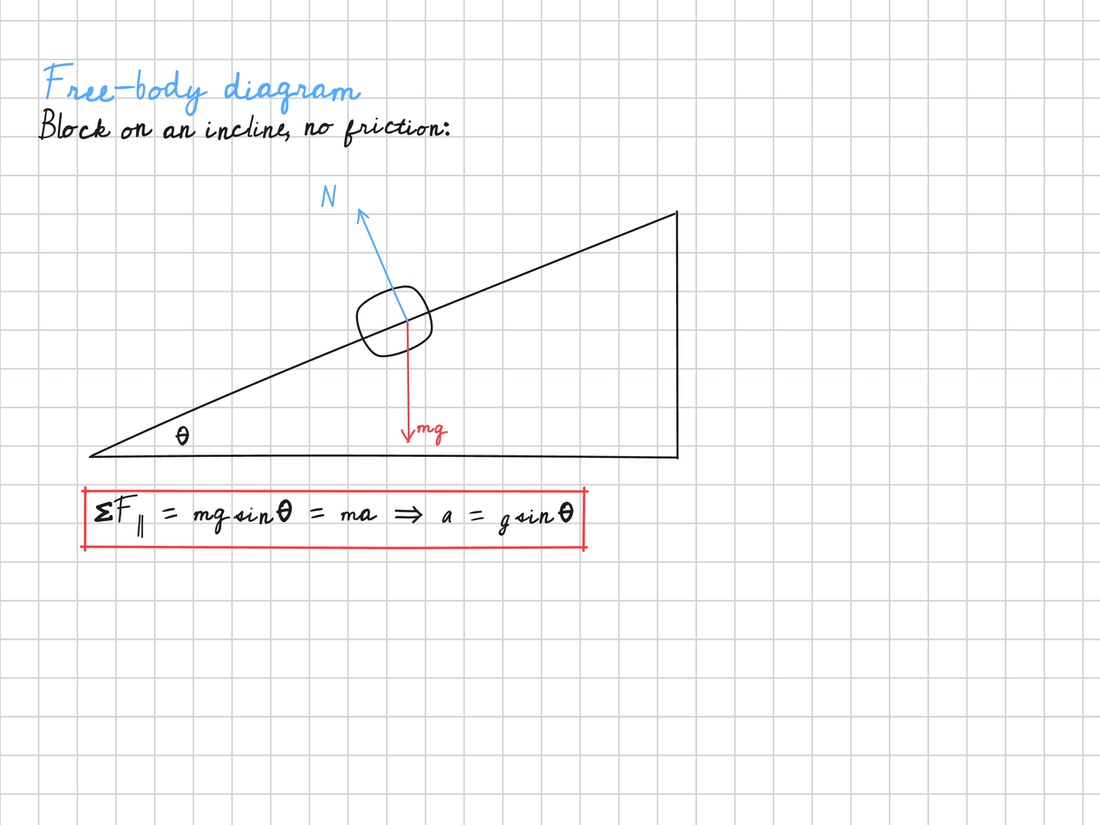
Questions
How do I get the notes into Goodnotes, Notability or a reMarkable?
Import the PDF. The default goodnotes paper matches the Goodnotes page size and grid, so imported pages line up with the ones you write by hand.
Does it need LaTeX installed?
No. penpad reads LaTeX math syntax and draws it itself.
Can it write in my own handwriting?
Yes, through a font. Turn your writing into a font (for example with Calligraphr), load it with register_font, and run penpad calibrate on a page you wrote to match paper, grid and pen colors.
Is it free? Does it work offline?
Yes to both. It is MIT-licensed and nothing is uploaded anywhere.
Is the output deterministic?
Yes. Keep --seed for identical output, change it for a different hand.
Intended usepenpad is for your own study notes, tablet notebooks, flashcards, mockups and design work. Please don’t use it to pass generated text off as handwriting where handwriting is required, such as exams, signatures or handwritten assignments.